
LANVisor 1.9.5
-
From: LANVisor.com
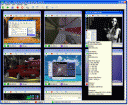
LANVisor allows you to see the screens of multiple computers connected to the local area network. You can use the software to see what users do on remote computers and automatically take screenshots.
License: Demo, $59 to buy Size: 3172 KB
Our rating:


Introducing LANVisor - the system for viewing the screens of remote computers.
The program is to be used on the Local Area Network and is used to monitor and record user activity. The LANVisor system is compatible with remote control software, which allows you to control the mouse and keyboard of a computer connected to the network.
At the office, this system will help a manager catch employees suspected of violating the daily routine and thus improve productivity.
In a computer class, this system will help the teacher keep an eye on the flow and completeness of students' tasks. The teacher can see what students do on their computers when the teacher was out of the class.
At an Internet-Cafe or in a computer-game room, the system will help the administrator see the overall picture of what the users are doing, and help them if necessary, without leaving the work place. It will let you see some system performance information on remote computers.
The Server's basic features:
- Ordered listing of remote computer screenshots
- Flexible configuration of screenshot size and display order
- Ordered screenshot logging for all or individual clients
- Compatibility with remote control software for managing the mouse and keyboard on the remote computer
- Displaying actual-sized screenshots in a separate window with advanced functions
- Sending text messages
- Viewing screenshots as a slide show
- Displaying information on available hard disk space on a remote computer, and other information about system resources
- Controlling the overall volume level of the audio device on remote computers
- Remote power management
- Password-restricted access
The Client's basic features:
- Launch automatically on system startup
- The program start is invisible to users
- Keyboard shortcuts for accessing the program settings
- Password-restricted access to the program settings
- Adjustable screenshot quality
- User-defined screenshot capture period.


All LANVisor.com Soft
- LANVisor 1.9.5 - LANVisor: Remote Desktop Monitoring System
Latest Articles & Reviews
- How to unerase files?
- IPHost Network Monitor Review
- WLAN Visualization: A Picture Is Worth A Thousand Words
- GFI LANguard Network Security Scanner Review
- The Importance of Using Intrusion Detection Tools to Secure Your Business Network
- How to contact domain owner?
- Lansweeper Review
- PC Inventory Advisor Review
- Server Supervisor Review
- How to monitor other users' activities?
- Firewall and Intrusion Detection
- Network/Protocol Analyzer
- Network Scanner
- Privacy and Anonymity
- Whois and TraceRoute
- Network Utilities, Suits, Toolkits
- Network Monitor
- Network Traffic Accounting
- Network Inventory
- Remote Control
- File and Disk Encryption
- File and Password Recovery
- Keylogger and AntiKeylogger
- Email Tools
All Categories